

Books
You can store ebook files in any directory within the Penstar eNote’s internal storage.
For transfer methods, please refer to: https://penstardeal.com/blogs/user-guide/data-management.
After transferring the ebook files from your PC to the Penstar eNote, take note of the folder or directory where you saved them. Follow these steps to import your ebooks into the Books app:
Step 1. Open the Books app on your Penstar eNote.
Step 2. Tap the Import button located in the upper-right corner of the screen.
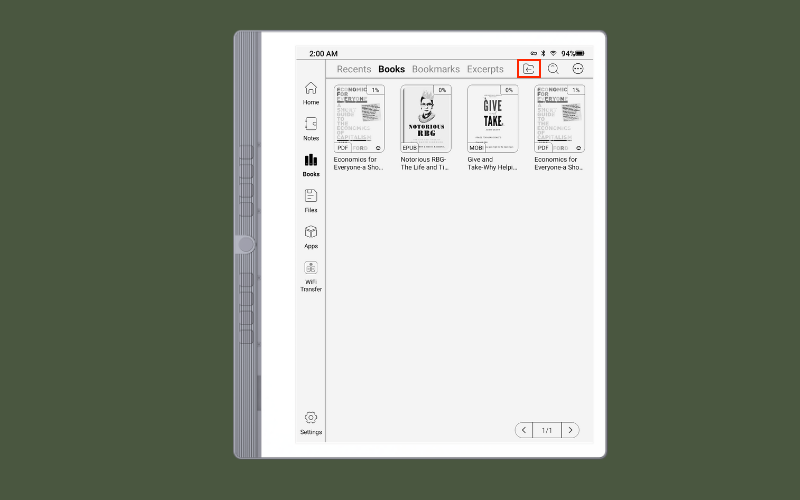
Step 3. Navigate to the directory where the files are stored.
Step 4. Select the ebooks you wish to import.
Once imported, the selected books will appear on your bookshelf, ready to be read.


